Ramadan Kareem Graphic Elements 04: A Flexible Toolkit for Authentic Seasonal Design
For professionals, marketers, and creators focused on the Ramadan period, sourcing authentic, flexible, and high-quality graphic assets can be a significant hurdle. Many resort to piecemeal searches for individual clipart or settle for pre-made templates that lock them into a single look. Ramadan Kareem Graphic Elements 04 represents a different approach—a comprehensive bundle of 100 vector illustrations designed specifically for this season, offering not just variety, but deep customizability. Its core promise is to serve as a foundational design system for business branding, social media campaigns, educational infographics, and promotional materials, allowing you to build unique visuals rather than simply decorating with stock art.
Overlooking the Power of a Unified System
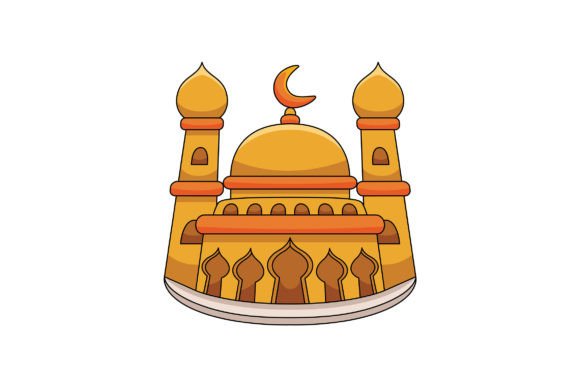
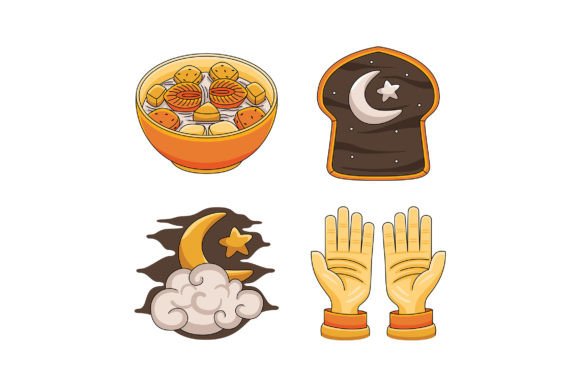
A common mistake is to view such a bundle merely as a collection of "pictures." This underestimates its strategic value. When you acquire disparate elements from various sources, you inevitably face style mismatches—different line weights, inconsistent color palettes, and varying levels of detail. This creates a disjointed visual identity across your campaign. Ramadan Kareem Graphic Elements 04 is designed as a unified system. Every crescent moon, lantern, mosque silhouette, and pattern shares a cohesive flat design style. This consistency is not a limitation but a strength; it provides a professional baseline from which you can branch out. Starting with a coherent set saves hours of manual adjustment trying to force unrelated graphics to look like they belong together.
The High Cost of Low-Resolution Assets
Another frequent oversight is neglecting the technical specifications for modern digital use. A graphic that looks fine on a phone screen might pixelate disastrously on a large landing page banner or printed community newsletter. The provided high-resolution JPG files at 5000 x 5000 pixels specifically address this. However, the true game-changer is the inclusion of EPS vector files. Many users download graphic packs without understanding the difference between raster (JPG) and vector (EPS) files. Raster images are fixed-resolution; scaling them up degrades quality. Vector graphics, compatible with Adobe Illustrator and other software, are mathematically defined shapes. They can be resized infinitely without any loss of sharpness. For a Ramadan campaign that might range from Instagram posts to large-scale event backdrops, this scalability is non-negotiable for quality.
Misunderstanding Customization: Beyond Simple Color Changes
The description "change colors of each and every shape" is often interpreted in the most basic way. The deeper opportunity lies in thematic color strategy. A novice might simply recolor a lantern to green without considering the psychological and cultural resonance of color during Ramadan. A better approach is to use the bundle’s editable nature to align with your brand’s identity or a specific campaign theme. For instance, you could adjust all elements to a serene palette of deep blues and golds for a corporate website, or use vibrant oranges and whites for a community-focused social media series. Furthermore, combining different elements to create your own illustrations is where true originality emerges. Don’t just place a standalone crescent; use the individual shapes to build a complex background pattern for a quote graphic, or integrate a series of geometric elements into a custom logo for a Ramadan charity event.
The Efficiency Trap of Not Pre-Planning
Even with an easy-to-customize bundle, diving in without a plan leads to wasted time and muddled results. Before opening the files, define the scope of your project. Are you creating ten social posts, a website header, and a flyer? Sketch a rough storyboard or list the required assets. This allows you to efficiently batch your edits. For example, you could decide on a primary and secondary color set first, then apply it globally to a group of selected elements, rather than coloring each item one-by-one for every new design. This pre-planning leverages the bundle’s efficiency promise, turning "easy to edit" into "quick to produce a professional suite of materials."
What to Verify Before You Design
Before committing to using Ramadan Kareem Graphic Elements 04 for a major project, a few practical checks are wise. First, confirm your software compatibility. While the EPS files are industry standard, ensure your version of Adobe Illustrator or alternative vector software can handle them smoothly. Second, assess the thematic coverage of the 100 elements. Do they offer the specific motifs you need—such as family gathering scenes, charity icons, or abstract patterns for backgrounds—to tell your entire visual story? Finally, consider your own skill level. The bundle is designed for customization, but basic familiarity with vector software layers and grouping tools is necessary to unlock its full potential. If you’re a beginner, allot time for learning these fundamental edits; the investment will pay off across future projects.
The ultimate goal is to communicate the values and atmosphere of Ramadan with respect and visual clarity. Using a hodgepodge of low-quality, inconsistent graphics can undermine that message, making communications feel haphazard or commercially insensitive. By treating Ramadan Kareem Graphic Elements 04 as a customizable design system, you gain the ability to produce authentic, scalable, and cohesive visuals that can adapt to any platform or purpose. It shifts the process from scavenging for assets to intentionally building them, which is a more professional, satisfying, and ultimately effective approach to seasonal design.